

Apart from Bitcoin, there is another digital currency, which seems to an important part of crypto. This digital currency is Ethereum.
Ethereum currently has the second-largest market cap after Bitcoin, and because of this, many investors are now flocking to Ethereum. There is quite a bit of software support for this new cryptocurrency. Of course, that means you’ll need more secure Ethereum wallets.
These 10 best Ethereum wallets are among the most widely used and trusted wallets of 2026. They all meet the above requirements and should contain something for everyone involved in the ether crypto-scene–from beginner to expert.
| Name | Type | Features | Price |
|---|---|---|---|
| Ledger Nano X | Hardware | Safest option for storing Ethereum. Stores private key on physical device. Supports ERC20 tokens. | $200 |
| Zerion | Software | Zerion enables users to manage their DeFi and NFT portfolios in one place, supporting over 10 blockchain networks, including Ethereum, Polygon, and Binance Smart Chain. It integrates with more than 500 protocols, facilitating multichain trading and real-time portfolio tracking. | Free |
| CoolWallet Pro | Hardware Wallet | CC EAL6+ secure element, offline private keys, supports Ethereum, ERC-20 tokens, 30+ blockchains, 12,000+ tokens. | $150 |
| Trezor Model T | Hardware | Secure for storing Ethereum. Stores private key on physical device. | $180 |
| Trust Wallet | Mobile | Secure and user-friendly. Supports over 4.5 million digital assets across 65+ blockchains. Comes with a mobile dApp browser. | Free |
| MetaMask | Mobile, Browser extension | Secure and user-friendly. Used to interact with Ethereum-powered decentralized applications online. | Free |
| Guarda | Mobile, Browser extension | Secure and user-friendly. Used to interact with Ethereum-powered decentralized applications online. | Free |
| Exodus Wallet | Software | User-friendly and beginner-friendly. Comes with a built-in exchange. Suitable for actively managing crypto portfolio. | Free |
| Atomic Wallet | Software | Secure and user-friendly. Supports over 500 digital assets and allows users to buy crypto with a credit card. | Free |
| MyEtherWallet | Web | Allows users to store their keys on their own computers. Provides automatic backup and allows writing smart contracts. Compatible with some hardware wallets such as Ledger Nano S and Trezor. | Free |
| Coinbase | Mobile, Web | Offers a wallet suitable for use as an ETH wallet. Easy to use. One of the major drawbacks is that users do not control their private keys. | Free |
| Trezor One | Hardware | Secure for storing Ethereum. Stores private key on physical device. | $60 |
| KeepKey | Hardware | Secure for storing Ethereum. Stores private key on physical device. | $ |
What you'll learn 👉
Best Ethereum Wallet apps
Before we go through each of these wallets in detail, let’s have a quick look at 3 best options when it comes to the best Ethereum wallets:
![Best 11 Ethereum Wallets [iOS, Android, Desktop, Hardware]](https://captainaltcoin.com/wp-content/themes/rehub-theme/images/default/blank.gif)
Trezor
Screen offers verification and extra protection
Established
The Top 10 Best Ethereum Wallets Available in 2026
Trezor
(Hardware Wallet)
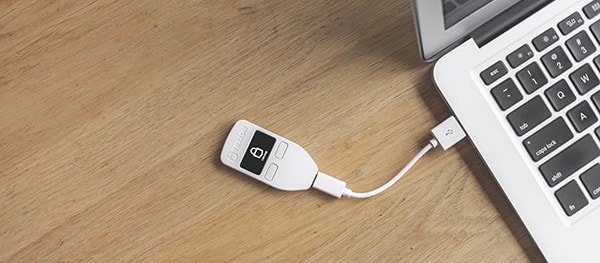
Trezor is a hardware wallet that supports ether as well as Bitcoin, LiteCoin, Dashcoin, and more. The device can be used for password management, supports two-factor authentication, and can also function to sign documents and other files as proof of ownership.
Trezor is touted for being durable, is water-resistant, is very light, and portable. The device has been created so as to remove any elements that could be easily hackable. It comes with a feature that allows users input a secret word in other to regain the access to one’ emails, accounts, keys, money, and so on. The device also features the built-in display that allows users to review transactions.
Trezor costs $99 and comes in 3 colors – black, gray, and white.
Ledger Nano S
(Hardware Wallet)
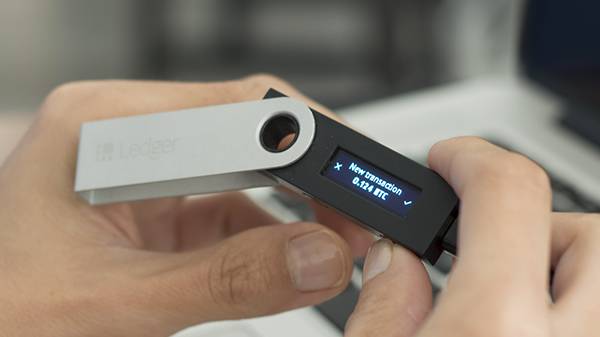
The Ledger Nano S comes with both theEthereum and Ethereum Classic apps. This popular hardware wallet offers up support for Ether, Litecoin, Bitcoin, and various alt-coins. It also supports multiple addresses for each currency within a single device. This wallet is not all that expensive when looking at what you get in return. The Ledger Nano S uses a PIN and a physical button to confirm transactions, which means that this wallet is highly secure against malware such as Adylkuzz.
The Nano S also supports backups and user-created software. It even supports FIDO Second Factor authentication for GitHub, Dropbox, Google, and more.
Here, Ether is stored offline on the device, and whenever you want to spend Ether, Ledger S signs it using the private key stored on the device. The device comes with an in-built display, which makes checking and confirming transactions better for users. It supports Ethereum out of the box, without the need for custom software or third-party plugins. Ledger Nano S comes with strong security that secures users’ private information, and the security is so robust that the Nano S device can be used even on a hacked computer.
CoolWallet Pro – Mobile-Friendly Hardware Wallet for Ethereum
CoolWallet Pro is a premium hardware wallet designed for users who want strong security without sacrificing convenience. Unlike traditional hardware wallets, it has a credit-card-sized design and connects to your phone via Bluetooth, making it one of the most portable cold storage solutions available.
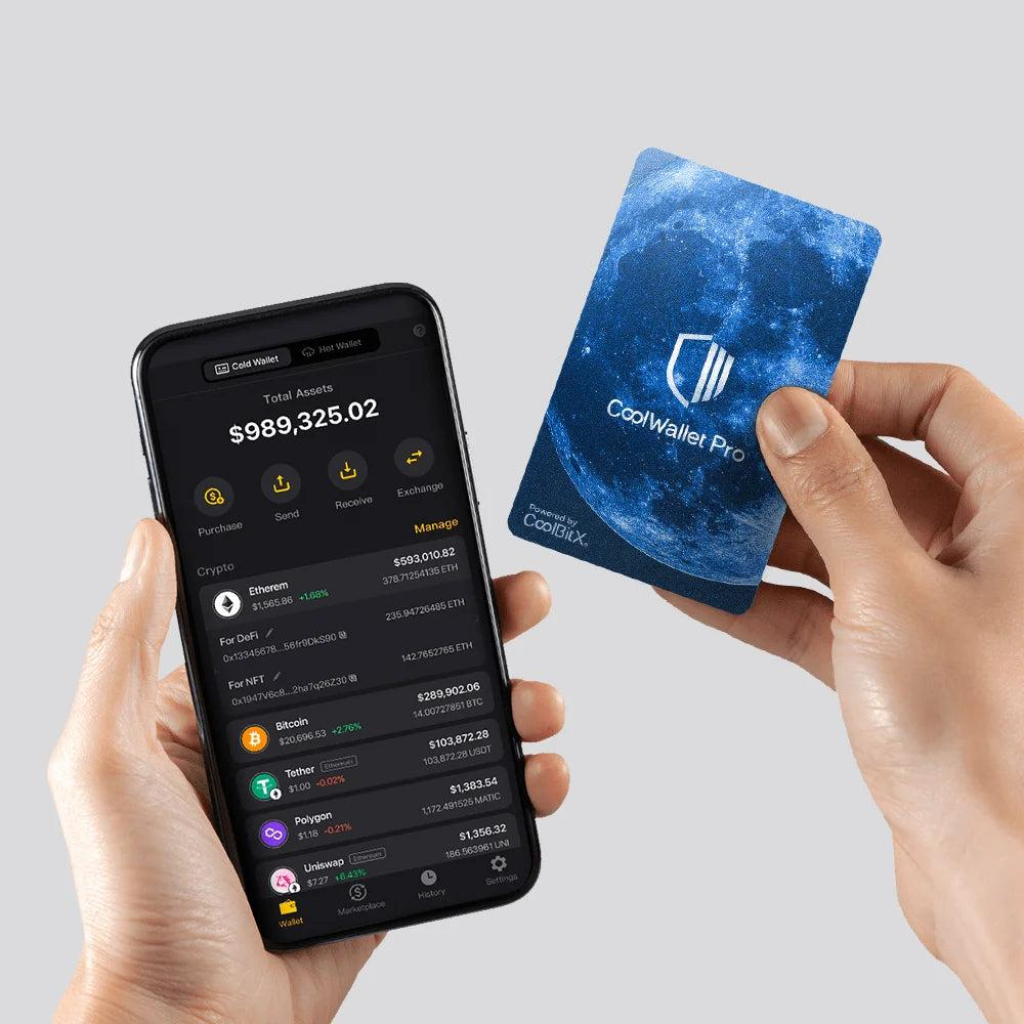
The wallet keeps your private keys completely offline using a secure element chip, while still allowing you to manage Ethereum and other assets through a mobile app. It supports Ethereum, ERC-20 tokens, and a wide range of other blockchains, along with DeFi and staking features.
One of its biggest advantages is the combination of cold storage security and mobile usability, allowing users to interact with Web3 apps, stake assets, and manage portfolios without exposing private keys online.
CoolWallet Pro is especially suitable for users who:
- want hardware-level security
- frequently use Ethereum, DeFi, or NFTs
- prefer managing crypto from a mobile device
However, it may not be ideal for complete beginners due to its more advanced features and mobile-first setup.
Guarda (Web/mobile/desktop)
Guarda is a cryptocurrency wallet available as Web Wallet, Desktop Wallet (macOS, Windows and Linux), Mobile Wallet (Android + iOS), and a Chrome Extension. You can use the app to store almost all tokens worth having as Guarda supports 45 different blockchains and over 10k tokens. Among other currencies, Guarda Web Wallet supports Bitcoin, Bitcoin Gold, Ethereum (+ERC20 tokens), Ethereum Classic, Zcash, XMR, etc.
With Guarda, you remain in control of your keys at all times, and your funds cannot be used by anyone else. Like other mobile wallets, the keys to your funds are secured and encrypted on your own device. You use a PIN to access the Guarda app.
Guarda also has a built-in exchange service, so you can buy and trade coins from within the wallet. The wallet also supports staking for some popular chains like Tezos and CLO.
Jaxx (mobile)

Jaxxis a multi-asset wallet that supports 13 cryptocurrencies (including ETH). The wallet was created by the Canada-based company, Decentral (http://decentral.ca/), and has an elegant design with robust security features. Jaxx also allows its users access to their wallets without having to do any form of verification-
Also, your private keys are safely stored on your machine and are never shared with Jaxx’s server. Jaxx has an awesome development community that looks after the maintenance and innovation of the wallet. Jaxx is accessible on all platforms – Linux, Windows, Mac OS, iOS, and Android. It is important to note that Jaxx is also launching a hardware wallet in the coming months.
Thanks to its ease of use and convenience, Jaxx is well-suited for both beginner and experienced cryptocurrency users.
Exodus
(Desktop Wallet)
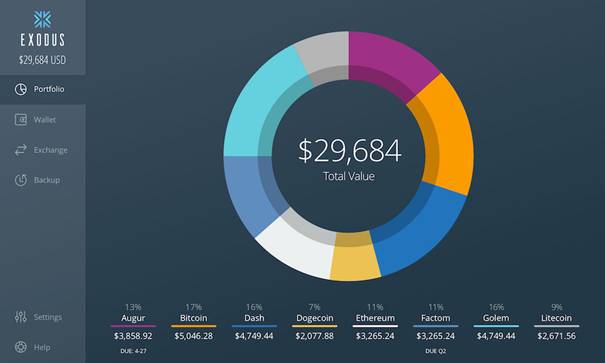
Exodusis the world’s first multi-cryptocurrency desktop wallet, and also the first desktop wallet to have ShapeShift built in for exchanging cryptocurrencies. However, one needs to always be connected to the internet while using Exodus. However, you need not worry as your private keys never leave your machine.
This wallet features a beautiful design and an intuitive interface. A pie chart will show your entire portfolio of coins as soon as you open the Exodus wallet. Its aesthetically-pleasing UI is easy to use. This makes Exodus super user-friendly for both crypto experts and beginners alike. Features like backup seed keys for restoring your wallet and one-click email recovery ensure the security of your funds.
Exodus supports seven cryptocurrencies (including Ethereum, Bitcoin, Litecoin, Dash, etc.) It is built for Windows, Mac, and Linux.
Exodus is an independent wallet that stores the private key on your machine and not on any external server, which means that you have full control (and full responsibility) for your coins.
MetaMask
(Desktop Wallet)

MetaMask is one of my favorite Ethereum wallets, and it is like a browser to access the Ethereum network.
MetaMask is more than just an Ether wallet, and it not only enables you to store and send Ethereum, but also allows you to access decentralized Ethereum apps. It allows you to interact with Dapps and Smart Contracts, and all without the need to install any software or download the blockchain. You can just install it as a Google Chrome Extension!
MetaMask features an intuitive design where you can quickly switch between the main Ethereum network and a test network.
When we talk about privacy, it is important to note that no registration or personal information is needed. The private keys are password encrypted. They are stored on your machine, which you can export at any time.
MetaMask is built for Firefox and Chrome extensions.
Coinbase
(Web Wallet)

Coinbase’s wallet is simple to set up and very easy to use, and is one of the most popular Bitcoin web wallets. Coinbase has served 8.2M customers in more than 32 countries and has appeared in major publications such as Bloomberg and Time.
Coinbase has also included Ethereum support this year. One important thing to note is that they do not support Ethereum Classic (ETC).
Coinbase is a well-established option that offers instant currency conversions, recurring investments, and multi-sig support. It is a cheap and fast way of storing Ethereum, and Coinbase’s mobile wallet is available on Android and iOS.
Follow these steps to use Coinbase:
- Register at Coinbase, and once you open a Coinbase account you’ll immediately see an ETH wallet appearing under the “accounts” tab.
- Click on “wallet address” in order to get your Ethereum public address.
- Transfer your ETH to the wallet’s public address.
- Store ETH on Coinbase.
Check here if their service is available in your country.
It is important to note that the private keys are not in your control because they are stored on Coinbase’s hosted servers. This is a huge drawback.
Coinbase is a decent way to store your ETH for the short term. However, you should use a hardware wallet like Ledger Nano S or use Paper wallet method if you planning to hold Ethereum for long term.
MyEtherWallet
(Web Wallet)
MyEtherWallet is an open-source client-side wallet that does not rely on third-party servers to operate. Instead, everything takes place on the user’s computer. This means the service will always be accessible. You can create secure paper wallets for your ether holdings by running MyEtherWallet on an offline computer. MyEtherWallet is different from other traditional web wallets because no one is controlling your Ethereum balance other than you.
It has an inbuilt BTC to ETH (and vice-versa) swap facility, and you can also connect your Ledger Nano S (Ledger Nano S) or Trezor (Trezor) to access your funds in MyEther’s browser environment. MyEtherWallet also has a Chrome extension (MyEtherWallet) in beta. This feature adds a better user interface for sending and receiving transactions.
MyEtherWallet is a great option if you need to create a quick wallet.
KeepKey
(Hardware Wallet)

KeepKey costs $120 and is the most expensive Ethereum hardware wallet available. It sports a sleek design with a well-illuminated screen. KeepKey has a larger screen than its other two competitors. It is also a bit heavy (i.e. not easy to carry around).
KeepKey supports most major coins besides Ethereum including Bitcoin, Dogecoin, Dash, Namecoin, and Litecoin. It works on major operating systems including PC, Android, Mac, and Linux.
It is important to note that Keepkey allows a direct exchange of assets with the use of ShapeShift.
KeepKey’s plastic body makes it vulnerable to damage if it is accidentally dropped. However, if you like its interface, it may be the right wallet for you.
Atomic Wallet
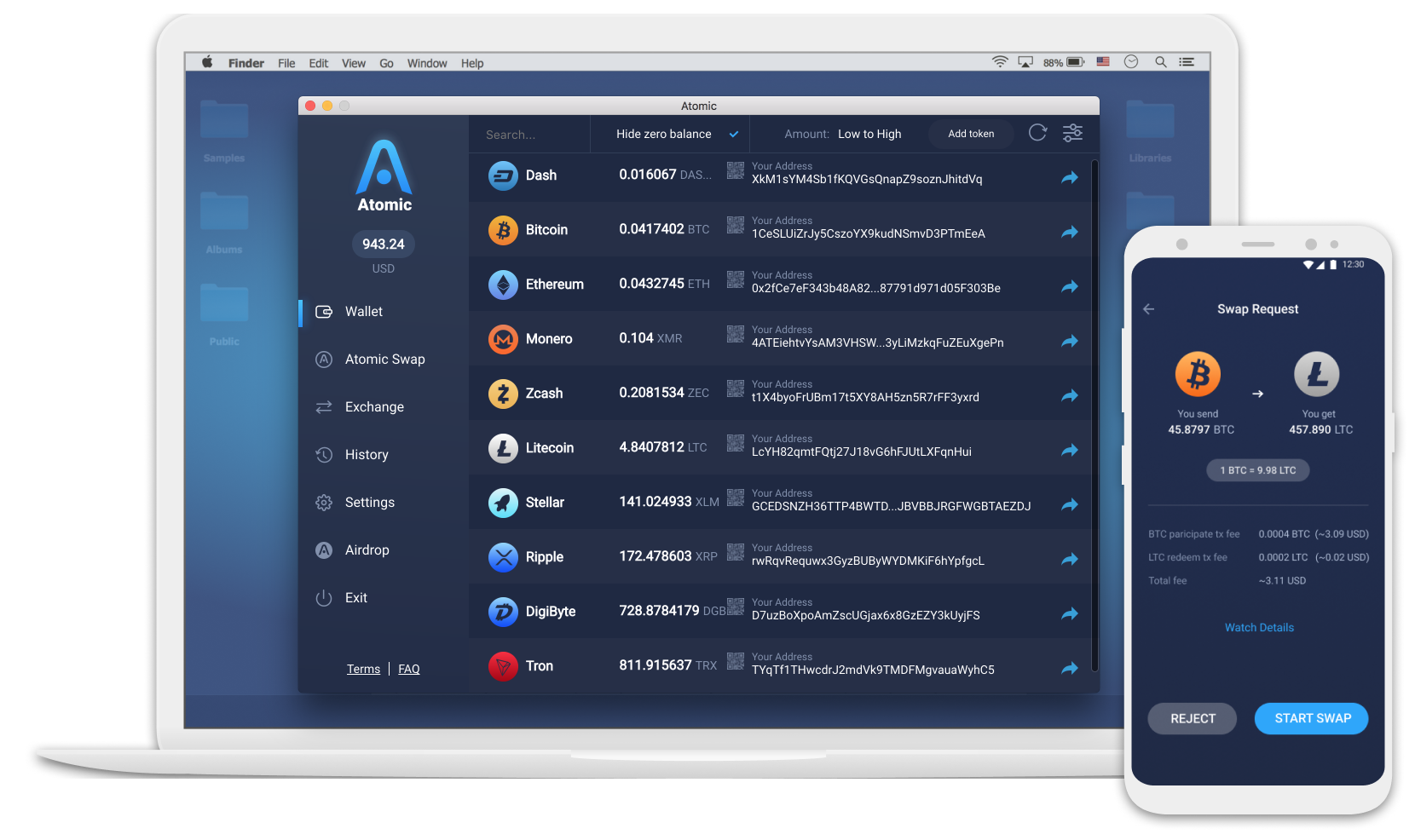
If you’re looking for a handy and secure way to store Ethereum, Atomic Wallet is the perfect option. This wallet offers a lot of useful features, such as support of more than 300 coins and tokens, built-in exchange and Buy crypto options, Atomic Swaps, and much more. At the moment you can enjoy Atomic Wallet on Windows, MacOS, and Linux, and mobile apps for Android and IOS will be released in October.
In addition, Atomic Wallet has a strong growing community, while the project team constantly improves the wallet and adds new features through weekly updates.
Check the list of the most important Atomic Wallet features:
- Private keys are stored on the user’s device and generated from mnemonic.
- Built-in Buy Crypto with credit card option, provided by Simplex
- Weekly updates with new coins, tokens, and useful features
- Atomic Swaps option for exchange with low fees
- Custom token feature — you can manually add any ERC20 token in seconds
- Instant exchange via Changelly and Shapeshift
- Affiliate program for each Atomic wallet user with Atomic Wallet Coins payments
- Instant 24/7-live support
Conclusion
As you can see, there are several Ethereum wallets for a user to decide on. These wallets perform similar functions, so it’s very important only to choose the wallet that is not complicated, easy to use, has more security functions, and comes with the best reviews from other users.
It is important to note that Ethereum is still pretty young in the market (only 3 years old) and it’s not as popular as Bitcoin (yet), so the wallet ecosystem has very limited options right now.
However, since Ethereum’s price is on the rise lately I guess new Ethereum wallets will be available for each type of user.





Another wallet option is Fetch (https;//hellofetch.co). It is super easy to see the best trading rates and makes trades with one-click using it.
I particularly like trezor, very safe and secure…nice article